
Overseas without the overspend
International money transfer
Stay connected across the globe with fast and easy money transfers from the UK. Send money to 160+ countries with competitive exchange rates and low fees, all in one app. It's no wonder 70+ million worldwide customers stick with Revolut.
Or find out how to send money to the UK from abroad.
Exchange and global transfer fees, fair usage limits, and T&Cs apply. Exchange rates and fees shown are for illustration only.
- Fast transfers. Send money in seconds from the UK.
- Low fees at competitive rates. Send money across 160+ countries.
- Trusted with £30 billion in customer deposits
It's quick and easy
How to transfer money internationally from the UK
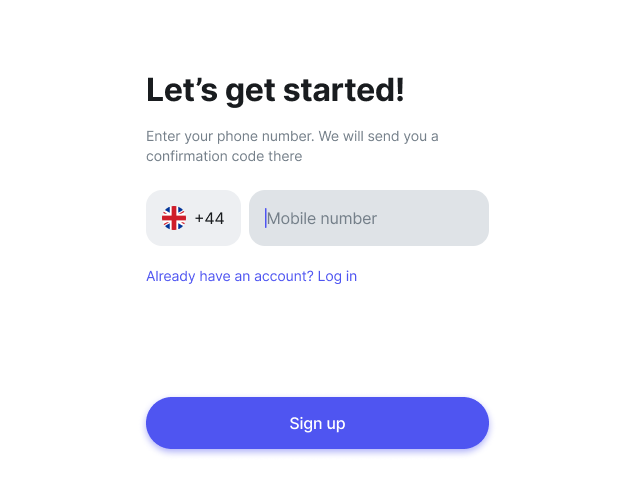
1. Join Revolut
Download our app for iOS or Android, then sign up. Top up your account via bank transfer, card, and more — you have tonnes of options.
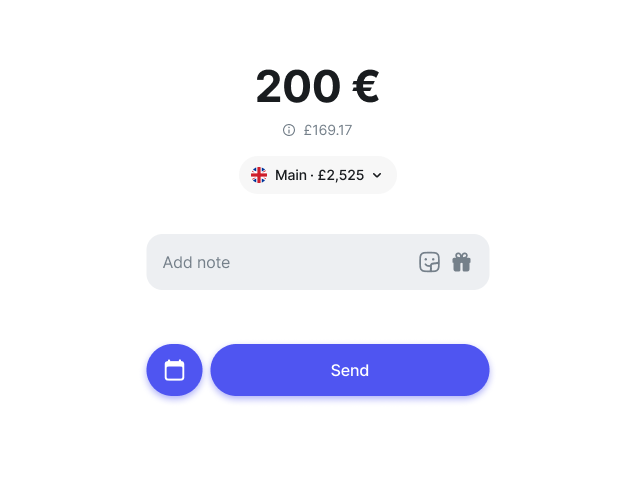
2. Check out our rates
Choose your transfer method, select your destination country, and enter your transfer amount. You'll see our exchange rates and fees in-app.
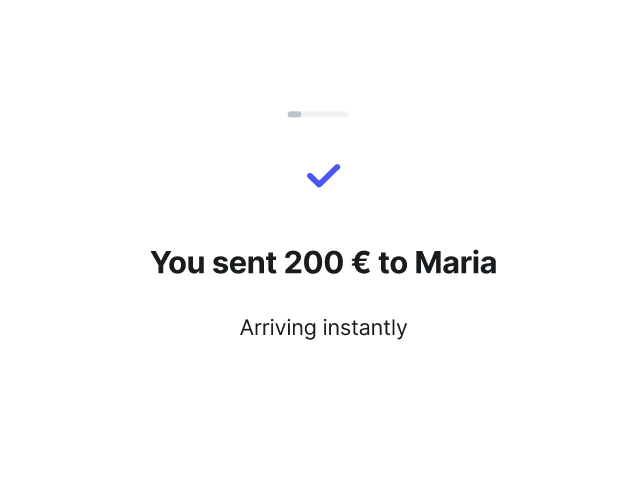
3. Transfer money
Add your recipient's details and tap Send. We'll take it from there and keep you posted on the status of your transfer.
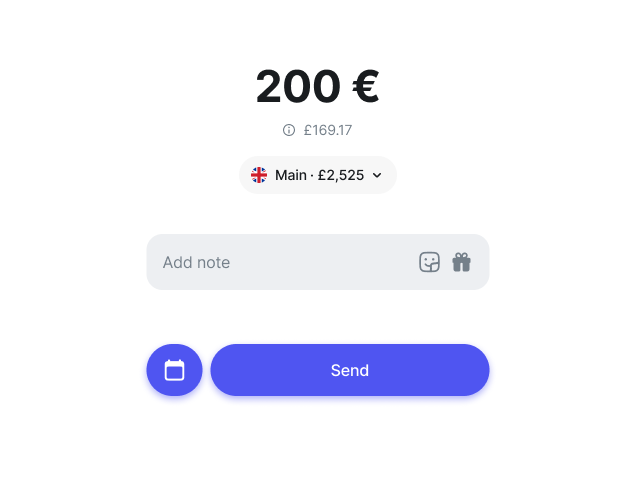
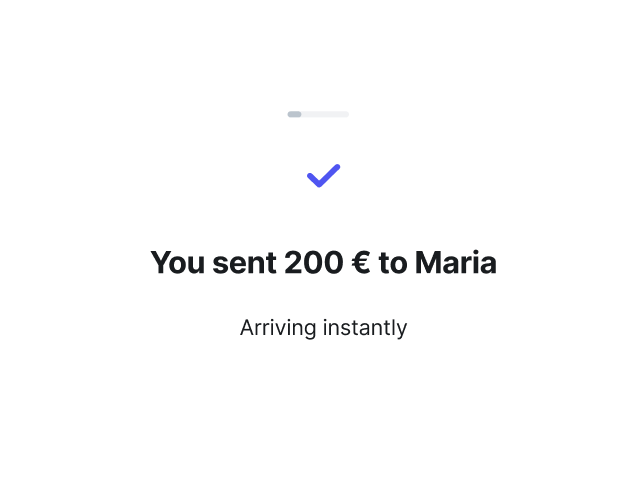
Get your free Revolut app for international money transfers
Looking for a fast and simple way to send money overseas? Join 70+ million million customers who use Revolut for their international transfers. Send money quickly to over 160+ countries with great exchange rates and low fees, and get real-time notifications to track every transfer.
Take your pick
The best ways to send money abroad with Revolut
Your life is unique — a one-size-fits-all money transfer won't do. Explore our options and choose your favourite.
Bank transfer
Transfer money to a bank account in 160+ supported countries. Just enter your recipient's account number, BIC/SWIFT code, and a few other details to easily send money online.
Card transfer
Send money in real-time to a card account. You can make transfers to any eligible Visa or Mastercard card. We'll show you in-app if the card you're sending to is supported.
Mobile wallet transfer
Transfer money to a digital wallet via their phone number.
Revolut-to-Revolut transfer
Send money to other Revolut friends in 36 currencies — instantly and without transfer fees. Choose someone from your contact list, enter your transfer amount, and hit Send.
Payment Link
Create a payment link to send or receive money. Choose whether you want to transfer money via bank, card, or Revolut, then share the link with your recipient.
Group Bills
Group Bills is a feature that allows you to split expenses with Revolut friends. Easily send and receive money within the group in just a few taps.

Transfer money with low fees and the Revolut exchange rate
Looking for the cheapest way to send money abroad? With our affordable international money transfers, all rates and fees are shown live in-app before you send.
Try a transferNo additional exchange fees on weekdays
Send money abroad without additional currency exchange fees on weekdays, within your plan limits. You can always upgrade if you need a higher transfer allowance.
Get competitive exchange rates
Check out our price comparison widget and see how our rates compare with other providers.
Save on international transfer fees
Get discounts on transfer fees when you send money abroad with our Premium, Metal, and Ultra plans. And there are no bank transfer fees if you're sending EUR from a country within the SEPA region, no matter what plan you have.
No Revolut-to-Revolut transfer fees
Send money online to your Revolut friends in 36 currencies without any transfer fees.
How much does it cost to send money abroad?
The cost to send money abroad is the processing fee plus exchange rate, and varies depending on the provider, transfer method, and amount. At Revolut, we keep our costs transparent and low with competitive, real-time exchange rates and fees clearly calculated in-app. Just tap and send — no surprise charges.
See exchange rates
How long does it take to transfer money abroad?
Whatever way you transfer, track deliveries in real time and review any fees in-app. Explore the details of some of our most common transfer methods below:

International bank transfers
International bank transfers from the UK generally arrive within 3–5 business days. If you're sending EUR to a country in the SEPA region, your money could arrive within 2 working days or even in seconds.
Fast card transfers
Card transfers arrive in less than 30 minutes. In most cases, they arrive in just a few seconds.
Instant transfers to Revolut friends
Revolut-to-Revolut transfers arrive in less than 20 seconds. Send and receive money in just a tap.


Secure from the second you sign up
Get top-level protection, powered by our dedicated financial crime team. Discover why 70+ million global customers use Revolut for currency exchange, money transfers, and more.
Sign upFraud prevention team
Powered by a dedicated, 24/7 financial crime team, we estimate that Revolut customers were protected from more than £632 million in potentially fraudulent transactions during the previous calendar year.
24/7 customer support
Speak to our award-winning support team in 100+ languages via secure in-app chat. Yes, even on a Sunday.
Personal data protection
We make sure your data is processed responsibly, following the General Data Protection Regulations (GDPR) and applicable global data protection legislation.
Custom-built security systems
We keep your account safe with two-factor authentication and provide powerful in-app tools that give you full control over your money.
Much more than international money transfers
Go global with our multi-currency accounts. Hold, exchange, and send 36 currencies in-app, and spend in 150+ all over the world. Explore Revolut and see for yourself what all the hype's about.


4.7 / 5
Why millions of global customers send money with Revolut
Support family and friends
Send money abroad in just a tap, however far away you are.
Make mortgage or rental payments
Wherever you plant your roots, stay on top of your payments from the UK using your Revolut account.
Pay student loans or tuition
Pay off that university degree by transferring money internationally in-app.
Move abroad
Make your next international move easier by making payments in the local currency.
Transfer money internationally to 160+ countries and territories
It's easy to send money to friends and family all over the world with Revolut. Check out some of our popular transfer routes.
Europe


Americas


Asia Pacific


Explore our multi-currency accounts and more
Whether you're sending or spending abroad, we've got something for you.
Online money transfers
Learn how to send money online, both locally and internationally.
Currency exchange
Exchange 36 currencies in just a few taps and spend like a local.
Money transfer app
The world is in your hands — literally. Explore our in-app transfers.
Travel money card
Get your multi-currency card and spend in 150+currencies while you travel the world.
Virtual card
Make contactless payments while you're abroad with virtual cards that live exclusively on your phone.
Need a little more help?
International money transfer FAQs
There are no transfer limits for most currencies and destination countries, but our payment partners may have set limits on certain currencies. You’ll always see these in-app before you send.
Making large money transfers? Not to worry. Whether you're paying tuition fees or putting down a deposit on a property abroad, you can transfer large amounts of money just as easily as smaller amounts. We just might need more time to run extra checks.
We use two-factor authentication to make sure you're the only one who can log in to your account, and we'll send you anti-fraud warnings in-app if we suspect that a transfer may be a scam. We also protect your personal data with our always-on security systems.
Additionally, we use other security methods that vary depending on the Revolut entity you're registered to.
Here's how you can learn more:
- Open the Revolut app
- Click on your profile icon on the home screen
- Scroll to the bottom of the page and see which Revolut entity shows up
- Go to our Help Centre to read more on your Revolut entity and how we keep your money safe
The details you need when you send money abroad vary depending on the transfer method you choose.
What details do I need for a bank transfer from the UK?
The details you need when you send money internationally generally include the recipient's full name, their bank code or BIC/SWIFT number, and their IBAN or bank account number. We may also ask you for other details, such as their city or phone number. The information you need to enter may vary depending on the country you're sending to and the currency.
What details do I need for a card transfer?
All you need to send a card transfer is the recipient's full name and card number.
What details do I need to send money to another Revolut account?
To send money to a friend who's also with Revolut, you can simply choose them from your contact list. You can also find someone by entering their phone number, email, or Revtag, or you can scan their QR code.
What details do I need to send money via a payment link?
You don't need any bank details when you transfer money via a payment link, just your recipient's phone number or email. Create the link in-app, choose how you want to pay, and share the link with your recipient. The person you're sending to can then claim that money, even if they're not a Revolut customer.
The time it takes for your money transfer to arrive depends on the payment method you choose, the country you're sending to, and the currency. You'll be able to see the estimated arrival time in-app before you send and track the status of your transfer. Check out our Help Centre for more on money transfers.
How long do international bank transfers take?
Transfers from the UK generally arrive within within 3 to 5 business days. If you're sending euros within the SEPA region, your money could arrive in seconds. Check with your bank to find out whether your account is set up for SEPA transfers.
On rare occasions, external banks may experience delays that we can't foresee, and your transfer could take longer than expected.
How long does a card transfer take?
Card transfers usually arrive in seconds, but they can take up to 30 minutes.
How fast are Revolut-to-Revolut transfers?
Revolut-to-Revolut transfers are instant. This means they usually arrive in 20 seconds or less.
With Revolut, you can send money online quickly and safely. Here's how:
- Download the Revolut app for free on your Android or iPhone, then sign up
- Add money to your Revolut account
- Select your transfer method, then enter your destination country, currency, and amount
- Check our exchange rates, fees, and estimated delivery times in-app
- Fill in your recipient's details
- Tap Send and stay up to date on the status of your transfer in-app
Topping up your Revolut account is quick and easy. Here are some ways you can add money to your account:
- Bank transfer
- Card
- Apple Pay or Google Pay
- Transfers from other Revolut customers
- Linked accounts
- Direct deposit
- Cash deposit at available locations
To choose the best transfer method for you, compare fees and delivery times in-app. They're calculated in real-time just for you — based on your transfer amount, country, and currency.
Need to send money abroad fast? Try a Revolut-to-Revolut transfer or a card transfer. Transfers to other Revolut customers are instant — they arrive in 20 seconds or less. Most card transfers also arrive in seconds, although they can take up to 30 minutes. If your transfer qualifies for SEPA Instant, your money will arrive in seconds via bank transfer.
Trying to find the cheapest way to send money abroad? Check our fees in-app before you send. You'll pay a small fee for card and bank transfers, but there are no transfer fees when you send money to other Revolut accounts. You can also save by sending your transfers during the week — we don't charge any additional exchange fees on weekdays if your transfer is within your plan's limits.
When you send money abroad from the UK, there are two types of costs you should keep an eye out for: currency exchange fees and transfer fees. You'll see all costs in-app before you send.
Currency exchange rates and fees
Sending money internationally often involves two different currencies: the currency you’re using to pay for the transfer and your recipient's currency. Before you send money abroad in a currency that's different from your recipient's, check our exchange rates in-app. This shows you how much the amount you enter in your currency is worth in your recipient's currency.
You may also pay an additional currency exchange fee, depending on your plan, the amount you're sending, and the time of your transfer.
- Depending on your plan, you may pay a fee on any exchanges you make during weekends, between 17:00 Eastern Time (ET) on Fridays and 18:00 ET on Sundays. You'll pay a 1% fee on the Standard plan, and a 0.5% fee on the Plus plan. You won't pay any weekend fees on our Premium, Metal, or Ultra plans
- If you're over your monthly exchange allowance, you'll pay an additional fair usage fee, depending on your plan (1% for the Standard plan and 0.5% for the Plus plan). There are no fair usage fees with our Premium, Metal, and Ultra plans
Transfer fees
Depending on the transfer method you choose, you may also pay a small transfer fee. This is how much we charge to process your transfer:
- Bank transfers: you won't pay any bank transfer fees when you send money within the SEPA region. If you're sending from somewhere else, you'll see a small transfer fee calculated in real-time before you send. You'll get discounts on these fees with our Premium, Metal, and Ultra plans. External banks may charge non-Revolut transfer fees that we can't foresee
- Card transfers: you'll pay a small card transfer fee when you send money using someone's card details. The amount will depend on how much money you're transferring and where you're sending from
- Revolut-to-Revolut transfers: you won't pay any transfer fees when you send money online to other Revolut accounts
With Revolut, receiving money is just as easy as sending it. To receive international transfers, select the currency account you'd like the incoming transfer to go to, tap the SWIFT tab to find your details, and give the sender those details.
Other Revolut customers can also send money directly to your Revolut account in 36 currencies.