Cards
Indian Rupee travel card
Travelling from the UK to India? Get your prepaid travel card and pay instantly in Indian Rupees.
- Get your free INR virtual card
- Load without limits
- Low conversion fees
Get Indian Rupee on your debit travel money card
Spend like a local in 150+ currencies and explore the globe with a travel debit card. Whether it's a virtual or a physical card, we've got all your travel money needs covered. Spend right away with Apple Pay or Google Pay.
Join Revolut
Built-in security features
Set spending limits, get payment notifications, and freeze or unfreeze your card in-app.
Add it to Google Pay or Apple Pay
No need to wait for your physical card to arrive — spend instantly with a virtual card.
Manage travel money in-app
Top up your account, transfer money, exchange currencies, and more. All from the palm of your hand.
Withdraw without ATM fees
Get fee-free ATM withdrawals, up to £2,000 per rolling month, depending on your plan type.
No ATM withdrawal fees within plan limits on a rolling monthly basis. Third-party ATM providers may charge a withdrawal fee. Currency and ATM fair-usage fees apply. Currency exchange fees may apply. Weekend markups on currency exchange will apply. Plan fees and T&Cs apply.
How to get your INR card
Get your Indian Rupee card in 3 steps
Get my card- 1
Get Revolut
Join 70+ million people worldwide saving when they spend abroad with Revolut.
- 2
Order your card
Order your free Indian Rupee card. Top up your balance in GBP or 36 other currencies.
- 3
Spend like a local
Start spending in Indian Rupees.
How does a Indian Rupee card work?
Your Revolut card handles 150+ currencies, including Indian Rupee (INR). That means you can use it like a local debit card in India.
Order a physical card or use your free virtual card to start spending right away. When you pay, we automatically convert your GBP to INR at a great rate, so you get the most out of your money. Spend freely and manage your funds — all from one place.
Get a travel money card
Currency exchange fees subject to fair-usage limits and weekend markups. Currency exchange shown is only an indicative example.
What are you waiting for?
Save when you travel with a INR travel card
Revolut offers so much more than a travel card. Exchange currencies, send money abroad, and hold 36 local currencies in-app. These are just some reasons why our customers rely on us for their travel spending.
Why should I get a Indian Rupee card?
With this card, you can spend in Indian Rupees like a local.
Save money when withdrawing from ATMs abroad, paying in restaurants and shops, and booking your accommodations or flights.

Where is the Indian Rupee card available?
Order your Indian Rupee debit card in the Revolut app and get it sent to you. You can order your multi-currency card from 30+ other countries. Check availability via the Revolut app.Start spending abroad
Spend confidently with a Indian Rupee card
It’s all at your fingertips. Set spending limits so you stay on budget, or freeze your card if you lose it — all in-app. Control everything with just a few taps. That's why 70+ million people worldwide use Revolut for all things money.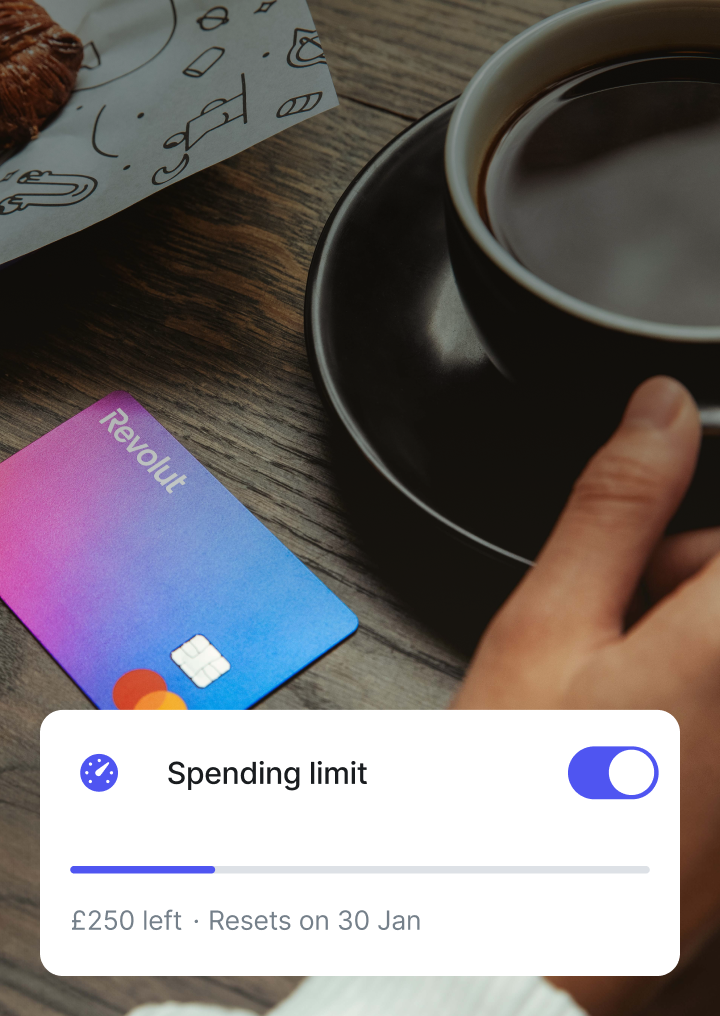
How to save money when spending in Indian Rupees
Tips for saving money in India
Don't exchange at airports or at home
No need to exchange cash before you travel — use your travel money card to spend or withdraw money from an ATM.
Choose INR as the local currency
Choose the local currency when spending with your card in shops and restaurants.
Save with a travel money card
Spend in Indian Rupees like a local with Revolut.
How to avoid unwanted ATM fees
To avoid surprise fees at the ATM, always select 'No' if an ATM asks you to convert money. This helps you get the best possible exchange rate. Keep an eye out for ATM access fees — some providers might charge an additional fee that Revolut can't prevent.Try Revolut nowWithdraw Indian Rupee
Fee-free Indian Rupee ATM withdrawals
Find a cash spot with our in-app ATM locator and withdraw in Indian Rupees, with no fees from us within your plan limits.
Standard
Fee-free ATM withdrawals up to £200 or 5 withdrawals per rolling month
Plus
Fee-free ATM withdrawals up to £200 per rolling month
Premium
Fee-free ATM withdrawals up to £400 per rolling month
Metal
Fee-free ATM withdrawals up to £800 per rolling month
Ultra
Fee-free ATM withdrawals up to £2,000 per rolling month
ATM withdrawals are subject to fair-usage fees depending on plan. Currency exchange fees may apply.
Need a little more help?
Indian Rupee currency card FAQs
There is no 'best' way to spend in Indian Rupees, but here are some tips to help you save money:
- Don’t exchange cash at the airport. It’s much cheaper to withdraw money from an ATM with your Indian Rupee card.
- Don't carry more cash than you need. When you return home to the UK, you’ll have to re-convert this cash back to GBP.
- Always choose INR as the local currency when spending with your card in shops and restaurants.
- Download the Revolut app, then sign up to get instant notifications on what you spend and manage your balance.
- We use two-factor authentication to protect your account and payments, so you can be sure that you're the only one who can access your money. Other ways of sending money online may involve different security methods. You can control your card’s security directly in the Revolut app. Freeze your card, set spending limits, and more — it’s all at your fingertips.Learn more.
- You can use your Indian Rupee card in India. You can also make card payments and ATM withdrawals in 150+ currencies wherever Mastercard and Visa are accepted.Learn more.
There is no limit to the amount that you can spend using your Indian Rupee card. Just top up in-app with however much you want and enjoy your travels.
Try Revolut now.- If an ATM asks you to convert money, always select 'No’ in order to get the best possible exchange rate. Also keep an eye out for ATM access fees, as some providers might charge an additional fee that we can’t prevent. If they ask you to pay something extra, decline the payment.Learn more.
There are tonnes of benefits to a Indian Rupee card. Let’s look at a few:
- Send and spend in Indian Rupees and 150+ other currencies.
- No need to exchange or carry cash. Pay with your Indian Rupee card, either contactless or with chip and PIN.
- No need to wait for your physical card to arrive. Instantly add your card to Google Pay or Apple Pay.
- Create single-use virtual cards for safe online shopping or travel bookings.
- Enjoy fee-free ATM withdrawals between £200 and £2,000 monthly, depending on your plan.
- Get instant payment notifications to keep track of how much you spend.
- Stay in control of your card’s security, with card freezing and spending limit controls.
- Easily manage your spending around the world with the free Revolut app.
To order your Revolut debit card and start spending in Indian Rupees, simply:
- Download the Revolut app on your Android or iPhone and sign up for free.
- Order your free Indian Rupee card. Top up your balance in GBP or 150+ other currencies.
- Get your card in the post or add it to Google Pay or Apple Pay to use it immediately.
- Start spending like a local in Indian Rupees.
The content of this page is for general information purposes only and does not constitute financial advice. If you have any questions about your personal circumstances, please seek professional and independent advice. Revolut is not a financial adviser.
Withdrawing cash from an ATM using your Revolut card is free, up to the limits of your plan. After you hit these limits, we charge a small fee. If you’re withdrawing from an ATM in a currency you don’t hold in your wallet, this will involve a conversion. Exchange fees above your free conversion limits will also apply for that conversion. You may also be charged a fee by the ATM owner when you withdraw funds. Learn more.
A maximum of 5 ATM withdrawals a month and up to £200 per rolling month are free. Anything over the above limits is charged at 2% of the value of the ATM withdrawal or a minimum fee of £1 (whichever is greater). Learn more.
Want to find out more about the Revolut cards for personal users? Learn more.